
In this chapter
Two ways to build
Choose your mobile core
Both paths use the same ideas: a licensed radio, your own subscriber credentials and a private LAN. Start with one path and keep its settings together.
Open5GS
A complete public EPC on one Ubuntu PC. Follow the package installation, matching configuration extracts and first-subscriber steps.
Follow the Open5GS pathVectorCore
Build the public VectorCore MME, HSS and serving gateway, with Open5GS providing the packet gateway. Follow the separate host plan, source builds and provisioning steps.
Follow the VectorCore pathThe first build is LAN only. It does not need IPsec. The remote-site chapter explains when encrypted backhaul is useful.
You are welcome here
You do not need to arrive knowing telecoms. This guide starts with an ordinary computer and explains the new words as they appear. Take one chapter at a time. Keep a notebook, save a working configuration before changing it and treat each test result as a clue. Asking a basic question is part of learning.
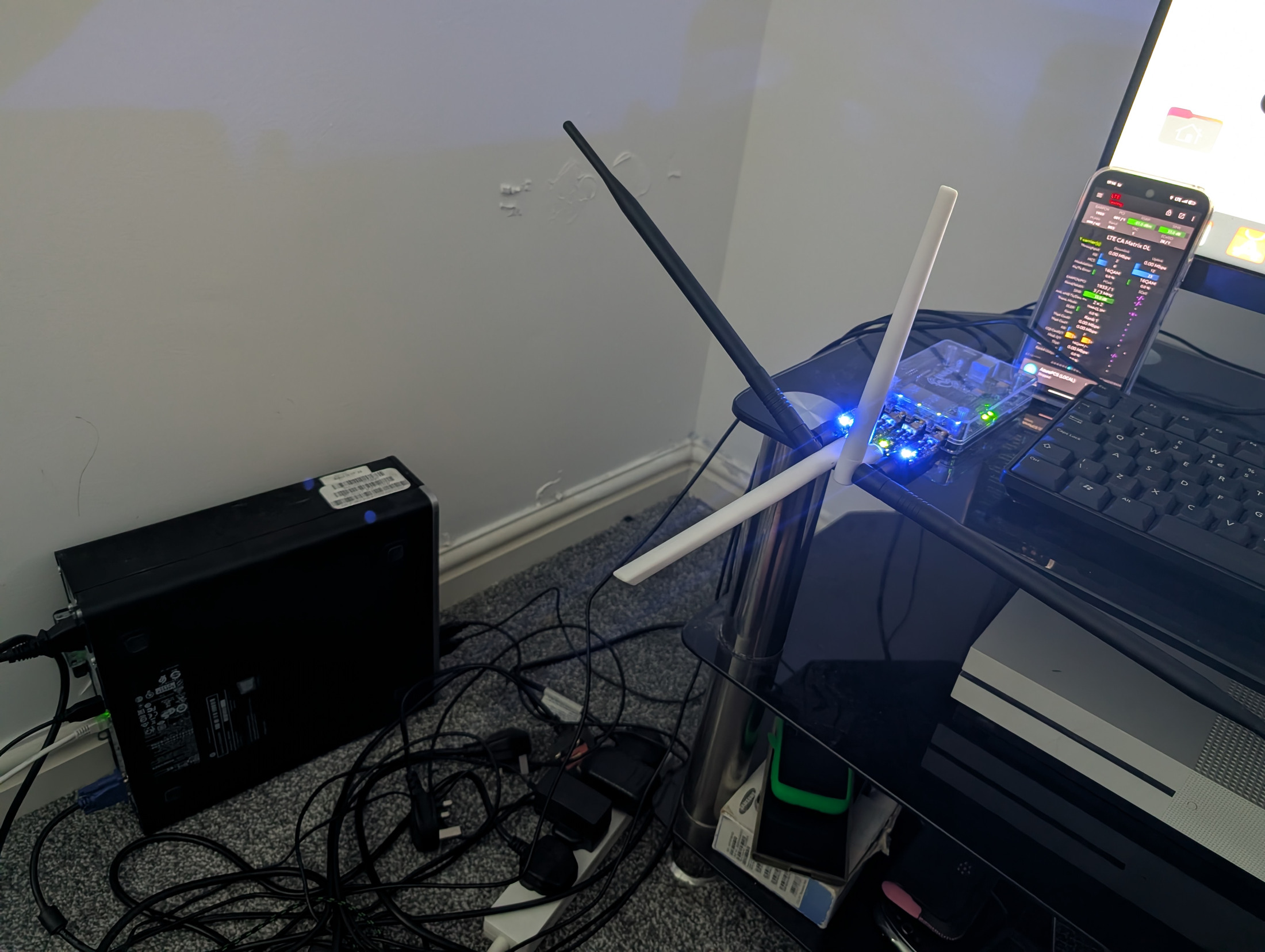
The first build is a private LTE network. LTE is the technology commonly called 4G. Your own radio connects a phone to software on your Ubuntu PC. Your own SIM credentials decide who can join. Your existing broadband supplies the Internet connection. You are building a small mobile network, rather than a Wi-Fi access point.
What you will build
- Plan an isolated network with separate management, radio and phone addresses.
- Choose equipment that supports the exact licensed UK frequency and power.
- Install Ubuntu and a public Open5GS mobile core.
- Keep administration private and allow only the traffic the network needs.
- Add a programmable USIM or a properly provisioned eSIM.
- Configure a Baicells LTE base station and connect a test phone.
- Check Internet access, privacy boundaries and recovery after a restart.
- Add an encrypted tunnel for a remote radio site, then explore voice, messaging and ongoing operation.
The main worked example uses Ubuntu Server 24.04 LTS on an x86-64 PC, an Ethernet-connected LTE Band 40 eNodeB, a private PLMN of 999/99, one Internet APN and IPv4. Two wired interfaces keep the radio separate from the home network. Choose the all-in-one Open5GS path or the separate VectorCore path linked from the chapter list. The main Open5GS configuration follows the 2.8 configuration family. Record the package version you actually install because repositories change.
Three milestones
| Milestone | What success means | What to learn next |
|---|---|---|
| A local data network | One authorised phone attaches, receives a private address and browses with Wi-Fi off. | Protect, monitor and recover the working lab. |
| A secure remote site | The radio reaches the core through an authenticated encrypted tunnel, with no public S1 exposure. | Routing, tunnel identity, MTU and site isolation. |
| Voice and messaging | Two compatible phones register to IMS and complete controlled call and message tests. | IMS identities, DNS, policy, media and service responsibilities. |
A working data connection does not automatically provide VoLTE, SMS, roaming, public telephone numbers or emergency calling. Those are additional engineering and service projects. The voice chapter explains the dependencies and the checks that prove each part works.
How to follow the examples
Read a whole step before using its commands. Commands are entered in Ubuntu's Terminal. A line beginning with sudo asks for administrator rights. Your password will not appear while you type it. Do not type a leading dollar sign from another tutorial. In an editor, Ctrl means hold the Control key while pressing the named letter.
Addresses and names in this guide are examples. Replace interface names with the names on your PC. Replace the home management subnet if yours differs. Example public addresses in 192.0.2.0/24 are reserved for documentation and cannot be used as real Internet endpoints. Never copy Lodestar's subscriber identity, private addresses or credentials.
Configuration blocks described as extracts belong inside an existing file. They are not complete replacements. YAML uses spaces for indentation. Tabs, duplicate top-level keys and removing unrelated sections can prevent a service from starting.
A realistic first project
Plan several sessions for the first build. Licensing and equipment delivery can take longer than the software work. Complete the Ubuntu and core chapters while the transmitter stays silent. First make the local system work on a bench. Add a remote site only after the local tests pass. Add IMS after reliable data, because faults are much easier to locate when one layer changes at a time.
Use the equipment checklist to collect quotations. Include annual spectrum fees, broadband, electricity, replacement parts and your own time. A refurbished PC can be a good starting point, but buying the wrong radio or a locked SIM usually costs more than checking compatibility first.
What we checked
This guide was prepared on 1 November 2026 using a read-only SSH review of Lodestar's security gateway, mobile core and IMS edge, plus the primary documentation linked throughout the chapters. The production review confirms the architecture and running software roles. The public Open5GS and VectorCore builds below are educational reference designs. These example installations have not been completed from scratch or tested over the air on a new Baicells as part of this publication.
Model-specific menus, handset behaviour and your issued radio licence must be checked on your own equipment. Each chapter gives an expected result and a reason to stop if it is missing. The final chapter compares the audited Lodestar deployment with the public Open5GS and VectorCore paths. Running production binaries are not proof of which public commit was deployed.
Follow the complete guide
Choose the equipment before you buy
A private mobile network needs a computer to run its services, a radio to reach phones, and subscriber credentials that belong to your network. The purchase checklist matters because similar-looking radios and phones can support different frequency bands and software features.
Read chapterChapter 03Get permission to use the airwaves
Your mobile network sends information through radio waves. In the UK, you need permission to use the particular frequencies on which your base station transmits. Complete this chapter before enabling the radio. The beginner route described here is an indoor private LTE network using a 10 MHz channel in Band 40. Spectrum information was checked on 1 November 2026.
Read chapterChapter 04Understand and plan the network
Give every part a clear job and write down its settings before installing anything.
Read chapterChapter 05Prepare the Ubuntu computer
Install a clean system, separate the cables and get comfortable checking addresses before you install the mobile core.
Read chapterChapter 06Install and configure the 4G core
The core turns a radio connection into an authenticated data session. Keep its internal components on the same PC for your first build.
Read chapterChapter 07Build with VectorCore
Build the public VectorCore MME, HSS and serving gateway, with Open5GS as the packet gateway. Follow a separate LAN plan, source build, configuration and subscriber provisioning path.
Read chapterChapter 08Protect the LAN and phone traffic
A LAN-only radio does not need IPsec. It still needs clear access boundaries so a connected phone cannot administer your computer or home router.
Read chapterChapter 09Issue physical SIM cards that belong to your network
A SIM is more than a piece of plastic. It holds the identity and authentication material that lets the phone and your core recognise one another. Begin with cards supplied for private networks and keep their credentials private.
Read chapterChapter 10Add your first subscriber
Enter the exact identity and authentication material supplied with your USIM. Keep the editor reachable only through your administrator session.
Read chapterChapter 11Configure the Baicells base station
Keep transmission disabled while you enter the LAN and core settings. Use the manual for the exact model and firmware in front of you.
Read chapterChapter 12Connect a phone and prove it works
Turn the radio on only after the licence, configuration and isolation checks pass. Then test each layer in order.
Read chapterChapter 13Connect a remote site securely
The local build uses a trusted LAN and needs no IPsec. A radio at another building has a different transport problem.
Read chapterChapter 14Add eSIMs through a provisioning service
An eSIM can make issuing a subscriber easier, but it still needs a real secure chip, a compatible profile and a trusted provisioning service. A homemade QR code is not enough to make an ordinary phone accept a profile.
Read chapterChapter 15Add voice calls and text messages
An LTE data connection is the foundation. Voice over LTE adds a separate service called IMS, the IP Multimedia Subsystem. Work through this chapter after two test SIMs can attach to your chosen Open5GS or VectorCore build over the private LAN and exchange ordinary data. This is an advanced implementation roadmap with checkpoints, because handset support, radio behaviour and the chosen IMS software must be validated together.
Read chapterChapter 16Keep the network secure and reliable
A network is useful when it still works after a reboot, a power cut and a change made several weeks later.
Read chapterChapter 17Find faults one layer at a time
Start with the first missing checkpoint. Keep the last working configuration and change one thing at a time.
Read chapterChapter 18What the real Lodestar network teaches us
Lodestar's running network provides context for this guide. A read-only inspection on 1 November 2026 checked the configured segw, lsn-core and ims-edge hosts. This chapter publishes a sanitised view of roles and software. Running services were observed, but the inspection did not make test calls, attach a test handset or prove every possible traffic path.
Read chapter